Respect my choice, Chrome. No means no!

It's rude when software immediately asks to become your system default and expects you to click "yes." We just met. Worse still, you harass users who already told you "no."
Web browsers are some of the worst offenders. Google Chrome willfully disrespects individuals like you and me; they keep asking to be my default browser on launch. That said, they offer EnTeRpRiSe users a setting to actually stop it. Here's how you can apply it.
TL;DR: make Google Chrome, Microsoft Edge, and more STFU with instructions below.
Device management policies
Many companies control the actions that users are allowed to perform on a device they manage. Device management policies pick from an all-you-can-eat buffet of settings that can be selected and controlled by the device owner.
Honest brokers in software are rare exceptions these days. Instead of limiting what a user can do with an application, we need to limit what an application can do to a user. Management policies weren't created for that job, but any tool will do.
Browsers stop being pick-me's when they're satisfied that a user is not allowed to make a choice. Our policy needs to make a browser believe that our hands are tied.
In most browsers, the DefaultBrowserSettingEnabled policy does just that. Setting this policy to false stops the browser from ever checking if it's the default. It also turns user controls off for this option.
And we shall have peace.
That's no moon

In 2026, Google Chrome represents ~50–70% of global web browsing. That's huge, but Google casts an even bigger shadow on web browsers than most realize.
Chromium, the Google-backed open-source browser project sitting at the heart of Chrome, is also the foundation of nearly every other browser.1 This puts Google's sphere of control at roughly 4 out of 5 browsers.
This dominance gives our resistance an edge. The policy management framework for administrators is a core component of Chromium. In other words, the pattern that tells Chrome to get lost can be adapted to silence Microsoft Edge, Opera, Arc, Brave, and more.
Disable default browser checks for good
Jump to the section for step-by-step instructions to make a browser stop requesting to be set as your default browser. These instructions assume you are comfortable performing basic tasks with your command line (Mac, Linux) or registry editor (Windows).
Google Chrome
Apply a simple management policy to it to prevent Google Chrome from ever asking if it can be your default browser.
- Mac
- Linux
- Windows
- Open
Terminal. - Run this command to write the policy entry to the browser's configuration.
defaults write com.google.Chrome DefaultBrowserSettingEnabled -bool false - Restart Google Chrome.
- Enter
chrome://policyinto the address bar. Your policy should be active.
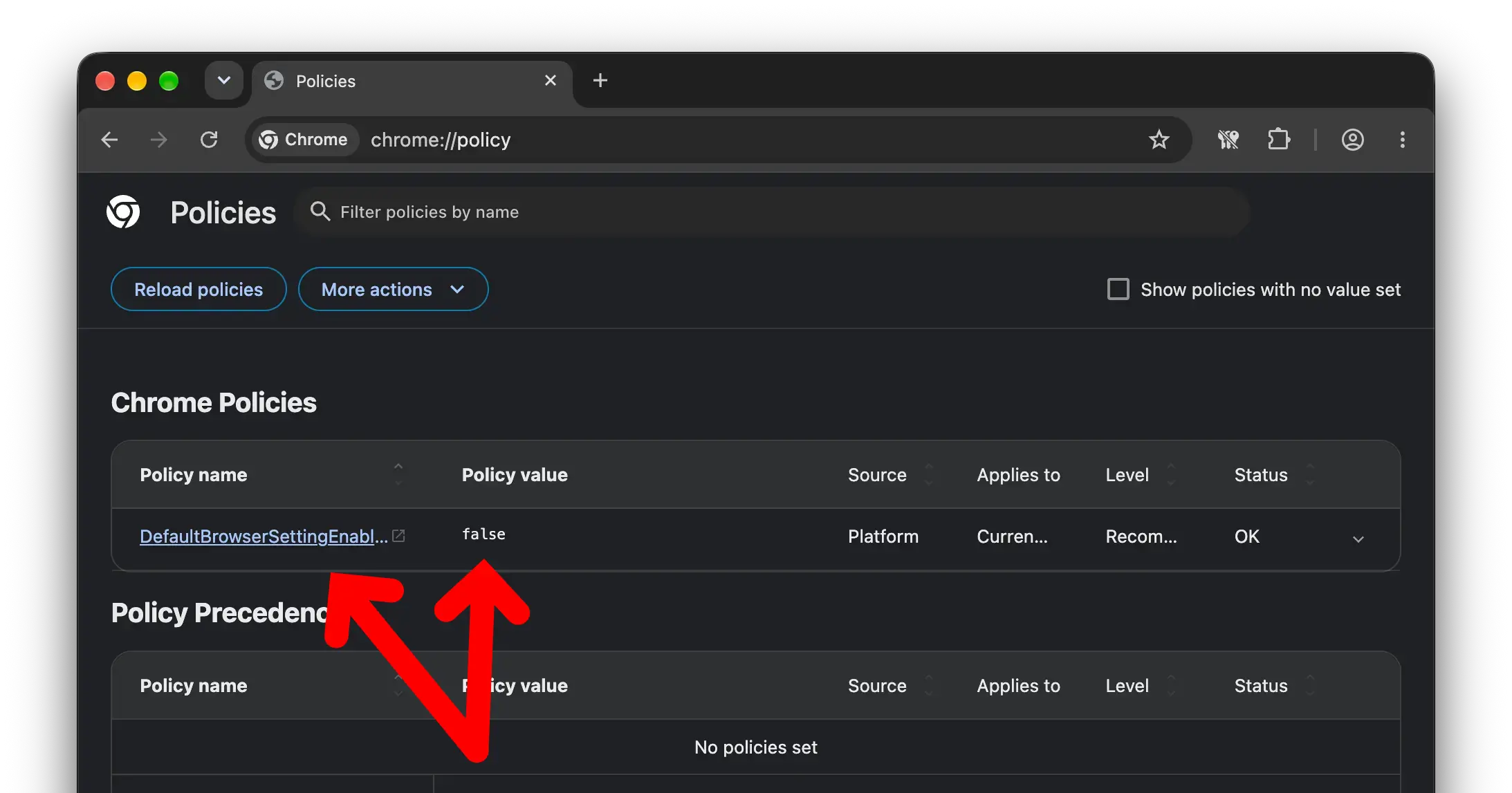
You will need to adapt these instructions to your Linux distribution. Some vendors like Ubuntu distribute their own Chrome packages that look for policies in different locations. For instance, Ubuntu looks for them in /etc/chromium-browser/policies.
- Open your command prompt
- Check if the directory
/etc/opt/chrome/policies/managedalready exists.
If it does not exist, create it withmkdir -p /etc/opt/chrome/policies/managed - Create a policy file in that directory if it doesn't exist.
You can create a new file withtouch /etc/opt/chrome/policies/managed/disable-default-browser-check.json - Insert the policy into the policy file and save it:
{ "DefaultBrowserSettingEnabled": false } - Restart Google Chrome.
- Enter
chrome://policyinto the address bar. Your policy should be active.
- Open
Registry Editorfrom your start menu - Navigate to
HKEY_LOCAL_MACHINE\Software\Policies\Google\Chrome.2 If an entry doesn't exist, add it as a new key (Ctrl+N). - Add the policy as a
DWORDwith a keyname ofDefaultBrowserSettingEnabledand a value of00000000.
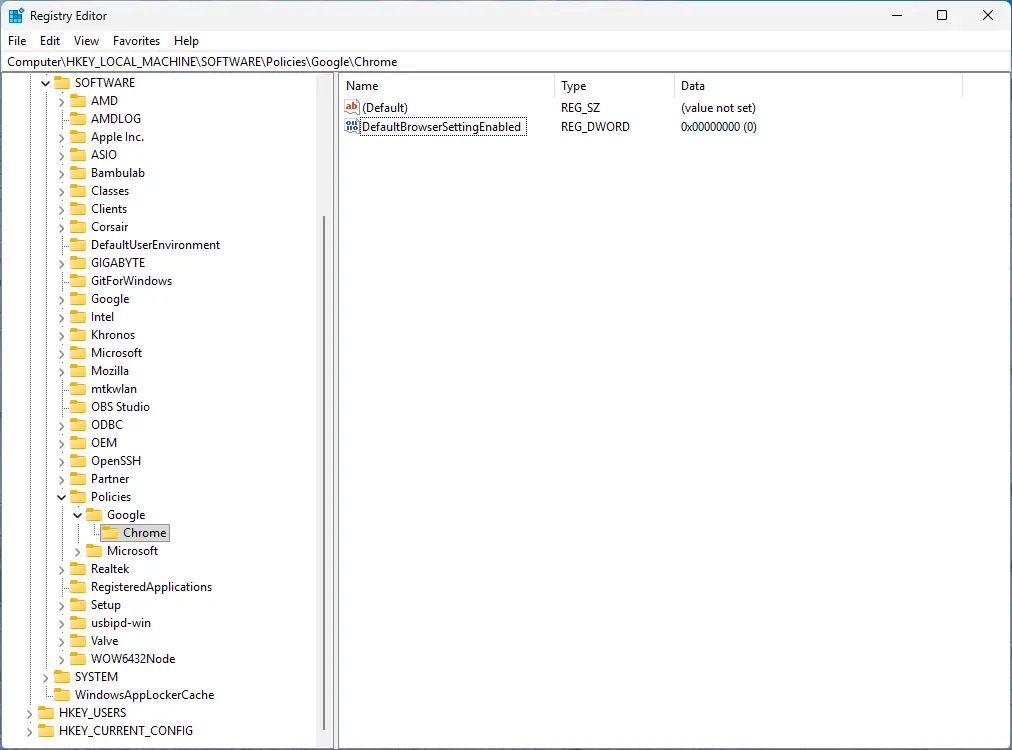
- Restart Google Chrome.
- Enter
chrome://policyinto the address bar. Your policy should be active.
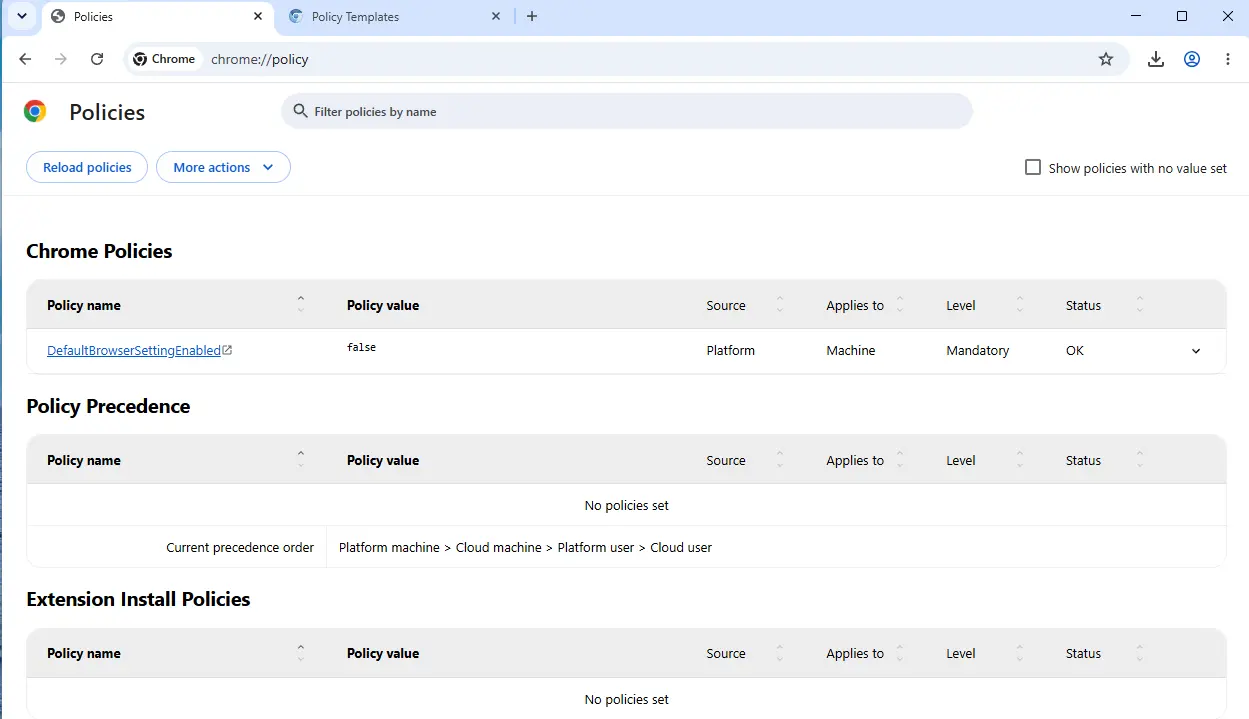
Microsoft Edge
- Mac
- Linux
- Windows
- Open
Terminal. - Run this command to write the policy entry to the browser's configuration.
defaults write com.microsoft.Edge DefaultBrowserSettingEnabled -bool false - Restart Microsoft Edge.
- Enter
edge://policyinto the address bar. Your policy should be active.
Untested. Sorry, not sorry? :-)
Microsoft only offers x64 builds for Edge on Linux.
- Open
Registry Editorfrom your start menu - Navigate to
HKEY_LOCAL_MACHINE\Software\Policies\Microsoft\Edge.3 If an entry doesn't exist, add it as a new key (Ctrl+N). - Add the policy as a
DWORDwith a keyname ofDefaultBrowserSettingEnabledand a value of00000000 - Restart Microsoft Edge.
- Enter
edge://policyinto the address bar. Your policy should be active.